Simple Floating WhatsApp
Lightweight plugin to display a floating WhatsApp button on your website with multiple agents support
Plugin Overview
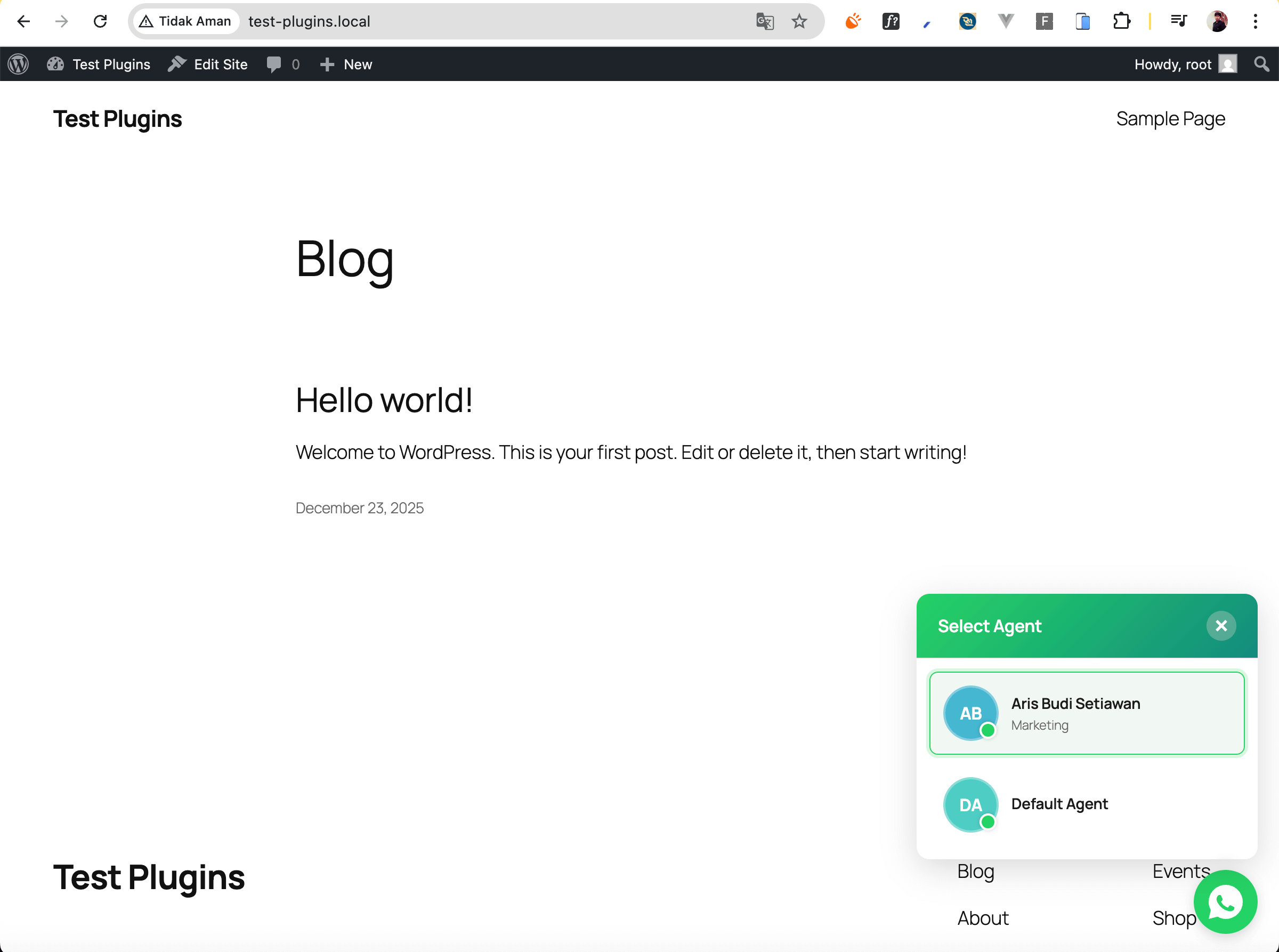
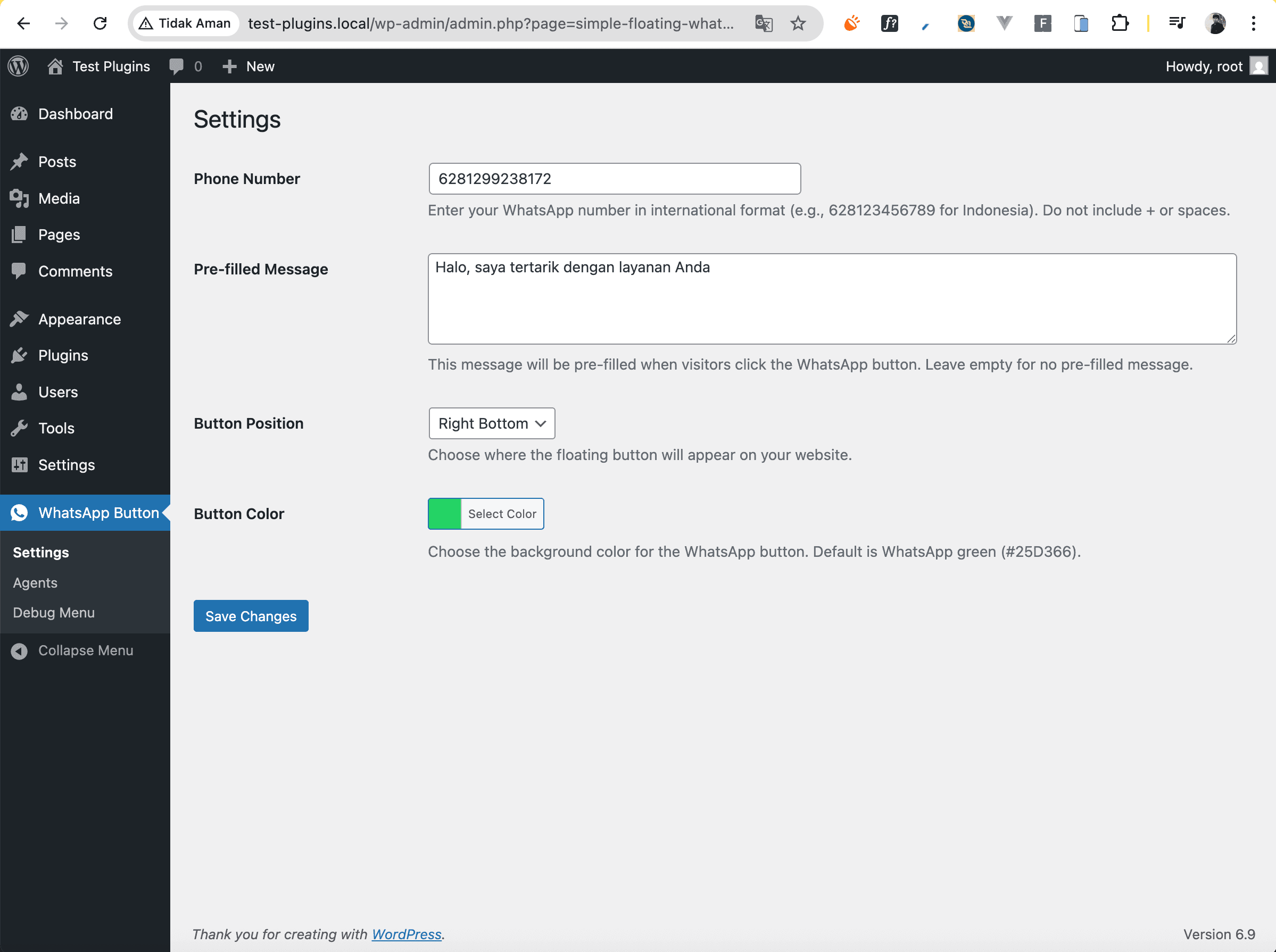
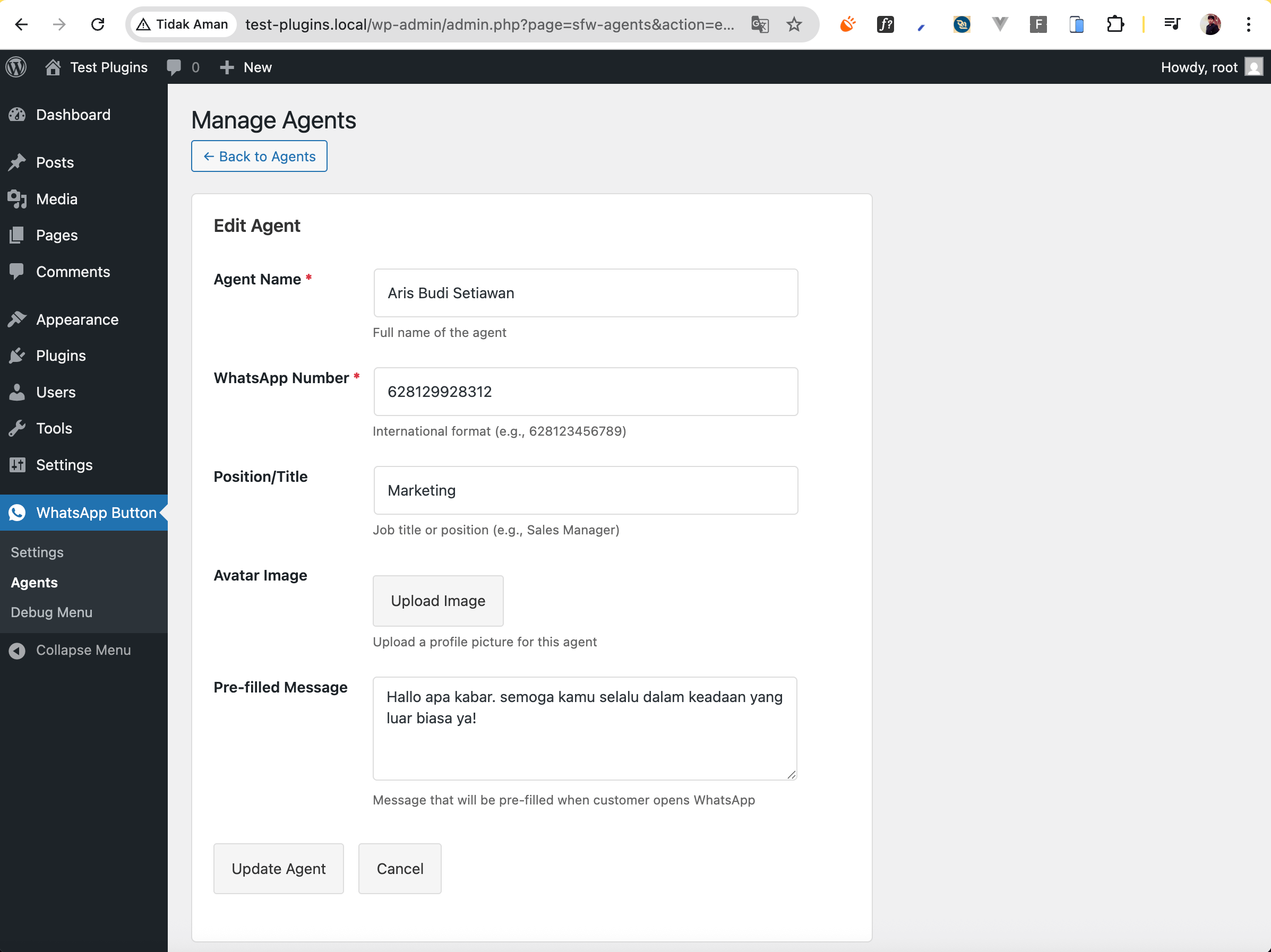
About This Plugin
Simple Floating WhatsApp is a WordPress plugin designed to make it easy for your website visitors to contact your support or sales team via WhatsApp. This plugin displays a floating button that is always visible on the visitor's screen.
Start with the free version supporting up to 2 WhatsApp agents. Need more? Upgrade to Pro for just $6 (annual payment) to unlock unlimited agents. Perfect for teams with multiple departments like Sales, Support, or Customer Service.
Key Features
- Responsive floating WhatsApp button
- Up to 2 agents FREE (unlimited with Pro)
- Customizable button position (left/right)
- Custom welcome message for each agent
- Lightweight and fast loading
- Mobile-friendly design
- Easy configuration via WordPress admin
- No coding required
- Compatible with popular WordPress themes
- Regular updates and support
Use Cases
E-Commerce Websites
Make it easy for customers to ask about products, prices, or the purchasing process directly via WhatsApp.
Service Businesses
Clients can directly contact the sales or support team for consultation or service booking.
Corporate Websites
Multiple departments can have their own WhatsApp numbers for different inquiries.
Simple & Affordable Pricing
Start free with 2 agents, upgrade anytime for unlimited agents
Free
- Up to 2 WhatsApp agents
- Floating button widget
- Customizable position
- Custom welcome messages
- Mobile responsive
- Basic customization
- Community support
Pro
- Unlimited WhatsApp agents
- All Free features included
- Advanced customization options
- Custom CSS styling
- Priority support
- Annual updates
- Commercial use license
Annual billing • 30-day money-back guarantee
Installation Guide
Download & Upload
Download the plugin ZIP file and upload it via WordPress Admin → Plugins → Add New → Upload Plugin
Activate Plugin
After installation, click "Activate" to enable the plugin on your website
Configure Settings
Go to Settings → Simple Floating WhatsApp to add your WhatsApp numbers and customize the appearance
Test & Enjoy
Visit your website to see the floating WhatsApp button in action. Test it by clicking and sending a message!